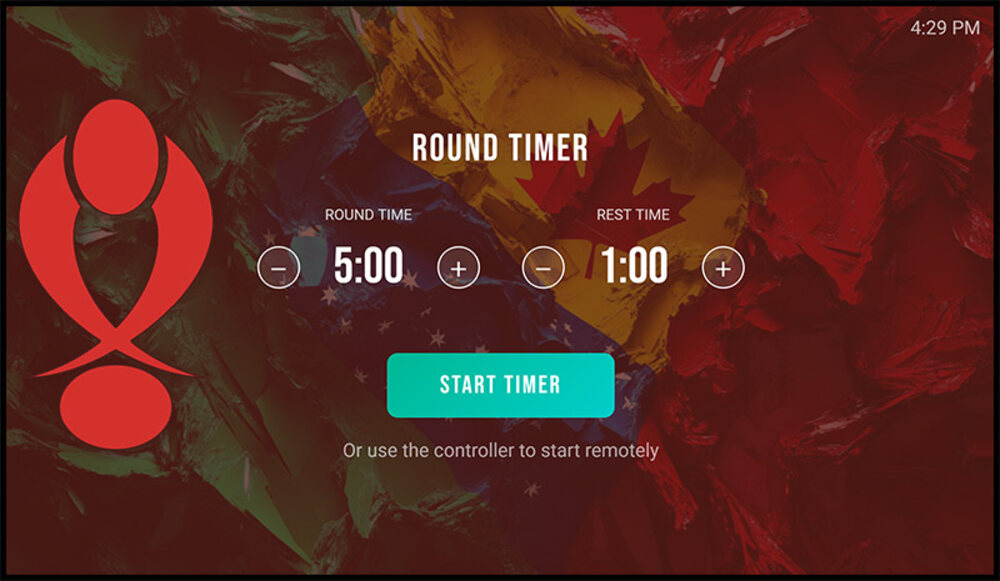
Start rounds without walking off the mat
The thing that actually breaks a class is having to stop, cross the room and poke a laptop between rounds. The timer pairs with a remote controller on your phone, so you start, pause and skip rounds from wherever you are standing.
- Phone controller: start, pause, reset and skip from the mat
- Round and rest times set independently, in seconds
- Round-start, round-end and countdown sounds, each replaceable with your own audio
- Big, readable countdown designed to be seen from across a mat
- Runs in any browser: cast it to a TV, run it on a tablet or an old laptop
Put it on the TV in three minutes
It is a web page, so anything that can show a web page can show the timer. The one setting that trips people up is the screen sleep timer: turn it off on whatever you use, or the screen goes dark in the middle of a round.
- Chromecast or Google TV: open the timer in Chrome on a laptop or phone and cast the tab
- Apple TV: open it on an iPhone, iPad or Mac and use AirPlay screen mirroring
- Fire TV or a smart TV with a browser: open the link in the TV browser and bookmark it
- An old laptop and an HDMI cable: still the most reliable setup in most gyms
- No sound after casting? The tab is muted. Click the speaker icon on the browser tab.
Put your own gym on the screen
Upload your own background and logo so the screen on your wall looks like your academy instead of someone else's software. Every image below is a real background running at Creston BJJ.



Free timer vs. your own timer
The free timer is the real thing, not a crippled preview. Set your rounds and run your class. The shared version is open to anyone, so give us an email and we will issue you a private one on your own link. A DojoMesh account then makes the screen fully yours: your logo, your backgrounds, your sounds.
| Free timer | With a DojoMesh account | |
|---|---|---|
| Round & rest times | Set every session | Your defaults saved |
| Interval mode | ||
| Phone remote control | ||
| Background images | DojoMesh branding | Upload your own, switch anytime |
| Your academy logo on screen | ||
| Round start & end sounds | Defaults only | Upload your own WAV or MP3 |
| Countdown audio (5-4-3-2-1) | Robot announcer | A different clip for each number |
| Timer & status colours | Fixed | Match your club colours |
| Saved defaults | Resets each visit | Rounds, round time, rest time |
| A clock only you control | Shared demo screen | Your own private URL |
| Screens around the gym | Shared demo state | Unlimited screens, one controller |
One timer per academy, driven from your phone. Put a screen in every mat space and they all count down together off the same clock.
Get your private timer
One field. Your link opens straight away and a copy lands in your inbox so you can find it again on the gym TV. It is yours alone: nobody else can start or pause your rounds.
No password, no install, no card. You will hear from Mark a couple of times about the timer and about DojoMesh, and you can stop that in one click.
Why the free one is worth using anyway
The timer is one piece of DojoMesh, the platform Mark Artyniuk built to run his own BJJ academy: billing, attendance, belt tracking, messaging and the academy website. The timer costs nothing and needs no account because it is genuinely useful on its own. One thing to know: the free timer runs on a shared demo clock, so if someone else is using it at the same moment you will both be driving the same countdown. Your own account gets a private one.